
Introduction
The RapidViews solutions aim to offer a real accelerator for the deployment of your SAP HANA BI projects, but also to manage and maintain them. The RapidViews are composed of virtual datamarts or data counters, predefined reports and fact/dimension tables (HANA Views), this is the foundation of the solution. They are available on the SAP FI-CO, SD, MM, QM and PP modules.
We estimate that the RapidViews solution covers on average 70% of the customer’s BI needs once installed. To cover the remaining 30% of the needs and thus satisfy all the additional requests of the customers, we propose to accompany them in the realization of the developments.
To do this, we use a method that is broken down into several stages:
- Firstly, we work in direct collaboration with the client to understand their needs. This step leads to the generation of technical specifications thanks to a tool included in the RapidViews.
- At the same time, thanks to the same tool, we determine the list of requirements that are already covered by the RapidViews and those that will have to be added to the model.
- The tool also helps us to define and target the Views, Datamarts, or Reports that need to be modified, so we develop an update plan.
- Once the developments are completed in HANA Studio, we reintegrate the new requirements developed in the BI Smart Repository.
Use Case - QM Module
Evaluation of quality reviews
SAP’s Quality Management (QM) module supports the management of quality controls.
SAP QM is integrated with the other ECC and S/4HANA modules. It interacts with the MM, SD and PP modules in particular. Indeed, quality controls can also be carried out on goods delivered by suppliers, on parts during their manufacture in the factory, or on finished products sent to customers.
The QM module is divided into several parts: quality planning (QM-PT), quality inspection (QM-IM), quality certificate management (QM-CA), QM notifications (QM-QN), and quality control (QM-QC-AQC).
This article describes a use case of HANA Calculation Views on the QM sub-module dedicated to QM notifications.
Realization of the factual view F_INSPECTION_MESSAGE_DV
The RapidViews F_INSPECTION_MESSAGE_DV factual view meets a reporting need that is very much in demand by business managers who control quality. It is about implementing continuous improvement through the monitoring of quality notifications.
In the SAP QM module, the notifications (or messages) make it possible to manage non-conformities encountered on parts, to capitalize on experiences and resolutions, and to archive the results and decisions taken in SAP.
QM notifications contain a lot of different information: the type of non-conformity, the number of defects, whether the part comes from a customer, a supplier, or an internal production, etc.
It was therefore essential to build a factual view that contains in detail all relevant data that a quality notification can provide.
Subscribe to the Rapid Views Newsletter !
Stay up to date with our latest blog posts, upcoming webinars and news!
Presentation of the view F_INSPECTION_MESSAGE_DV
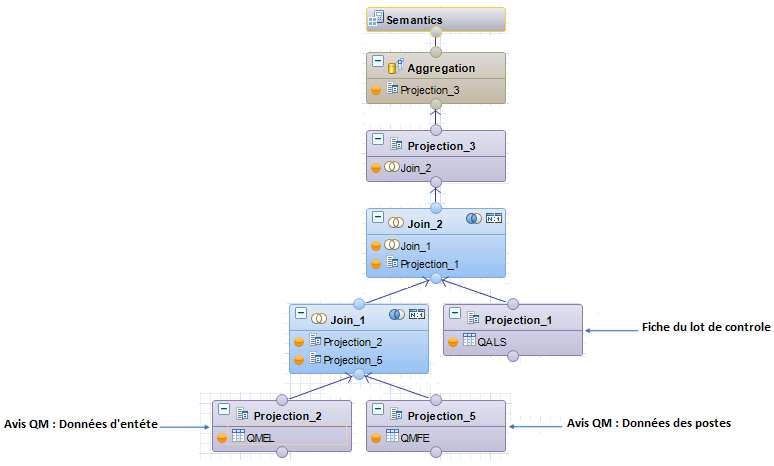
Summary of HANA developments
Join_1 : This join between the two tables QMEL and QMFE aims to retrieve both the information provided by the header data and by the item data of the QM notices.
Table QMEL stores all the information related to a quality notification.
Table QMFE stores all information related to each item in a quality notification.
Join_2 : This join between Join_1 and table QASM, which stores inspection lot records, is intended to retrieve certain information about the inspection lot associated with each quality notification.
We can now use this new view in a datamart, in order to join the multiple dimensions necessary for the analysis of the different data related to the monitoring of quality notices and the realization of reports (Material, Division, Supplier, type of message…). For this we use dimensions already present in the RapidViews.
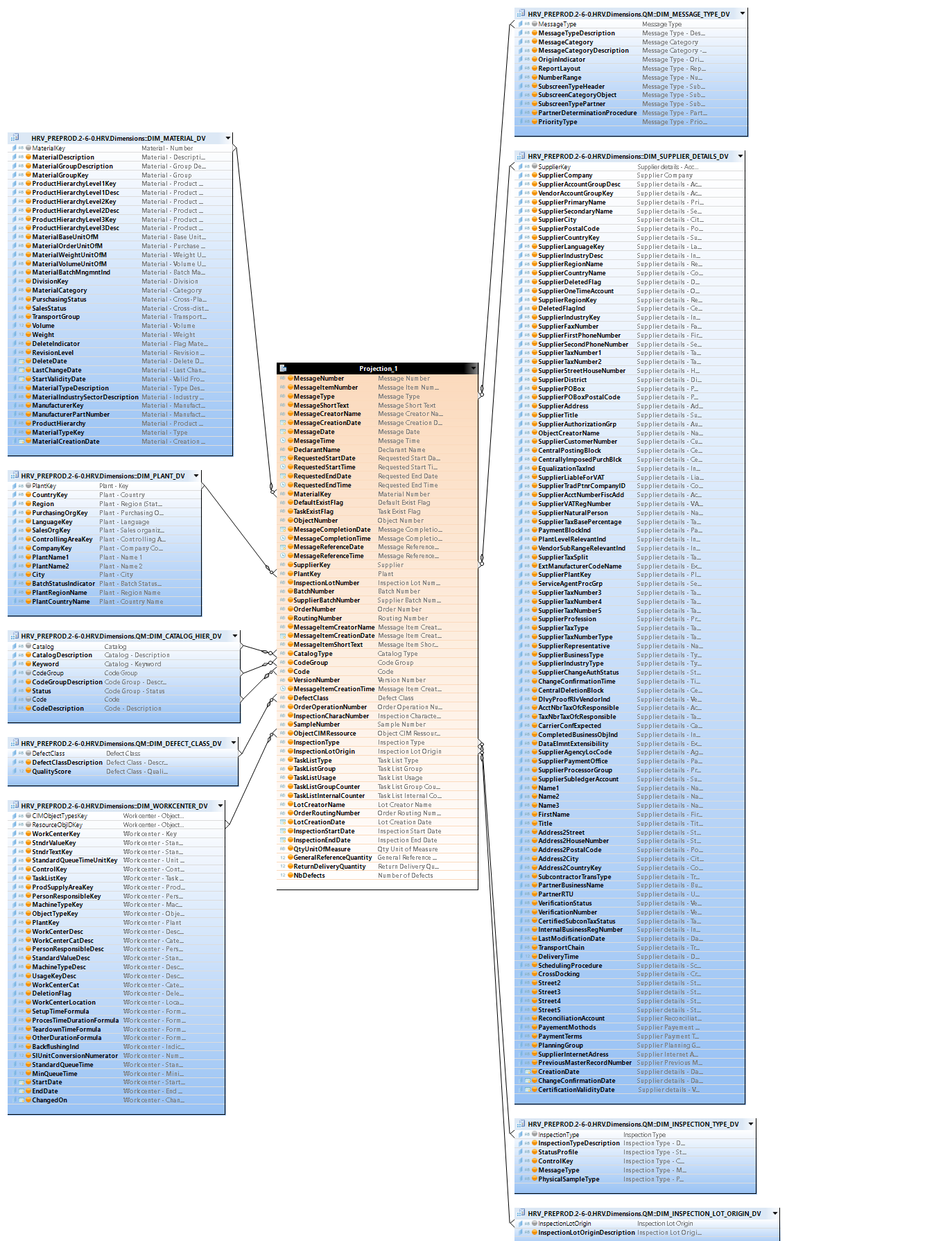
Reporting
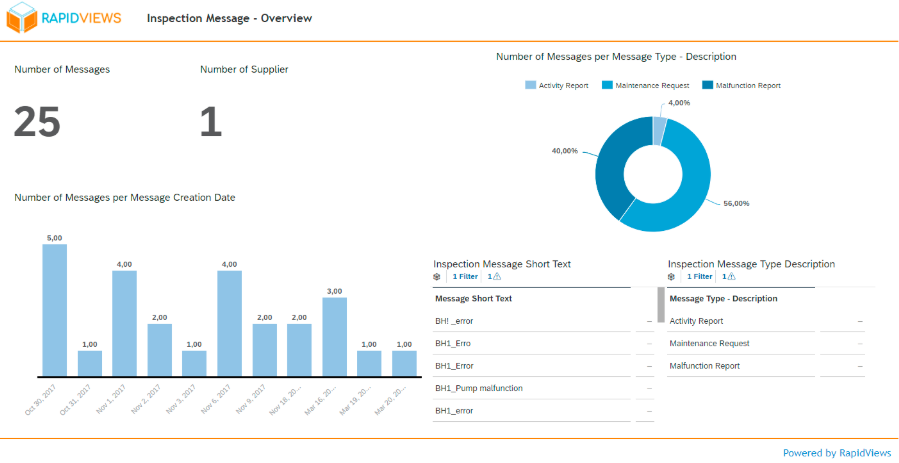
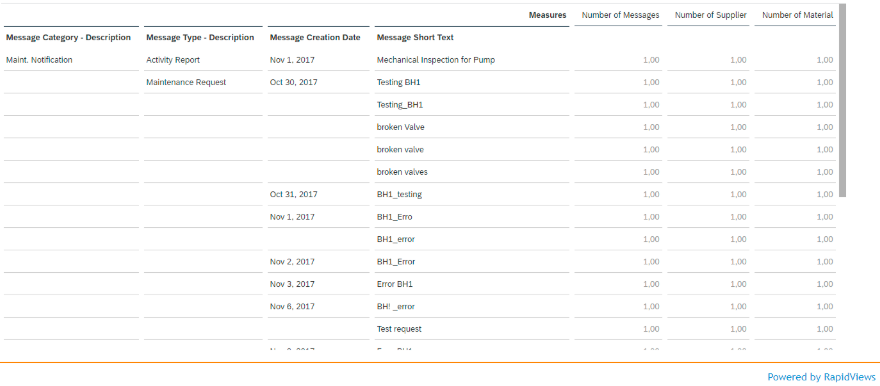
Conclusion
The new view “F_INSPECTION_MESSAGES_DV” is a view created to meet the need to track QM notifications while having the notification header, notification item and inspection lot data available on the same report.
This view could be linked very quickly to the other RapidViews views, and in particular could be integrated very easily into the QM RapidViews, and thus meet a customer need.
In this use case, we used some SAP Standards tables, RapidViews views, our development methodology, and we were able to enrich the RapidViews QM.
With RapidViews, additional developments are possible, which can be easily and quickly integrated into the standard. These specific developments can vary according to the customer’s needs (addition of specific SAP tables [e.g. Z_ tables], addition of customer-specific business rules, addition of new indicator calculations, etc.).