The RapidViews logo is a symbol of modernity and efficiency. It reflects innovation and simplicity, representing RapidViews' mission to provide intuitive and high-performance visual solutions.

Organize your Analytics objects

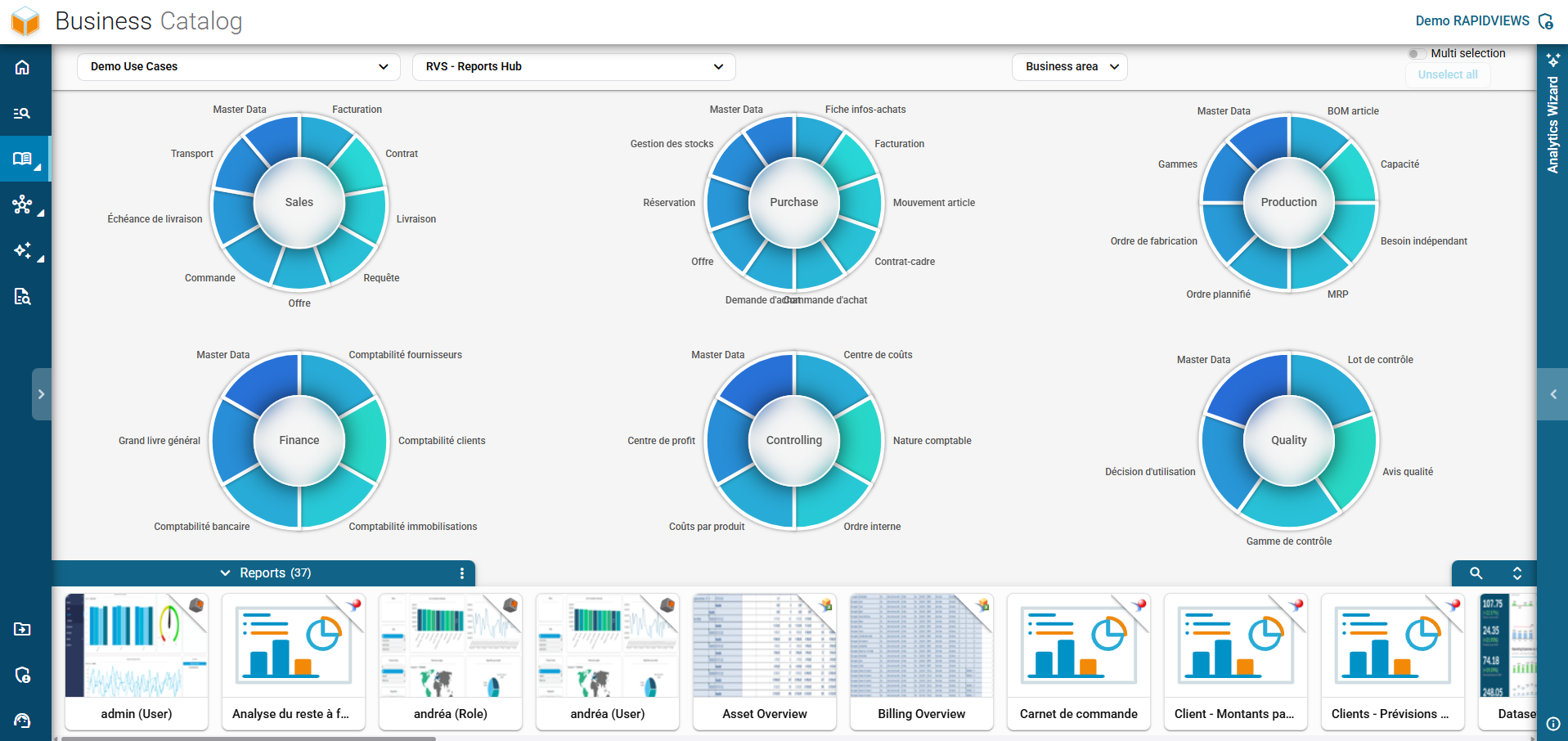
With the BI Smart Repository, structure all your BI objects however you want. Thanks to the Business Catalog, you have the ability to organize all your Analytics assets by department or business processes.
Main view of the RapidViews Business Catalog displaying the interactive distribution of reports by business areas.

A Business Catalog simple to initialize and manage daily

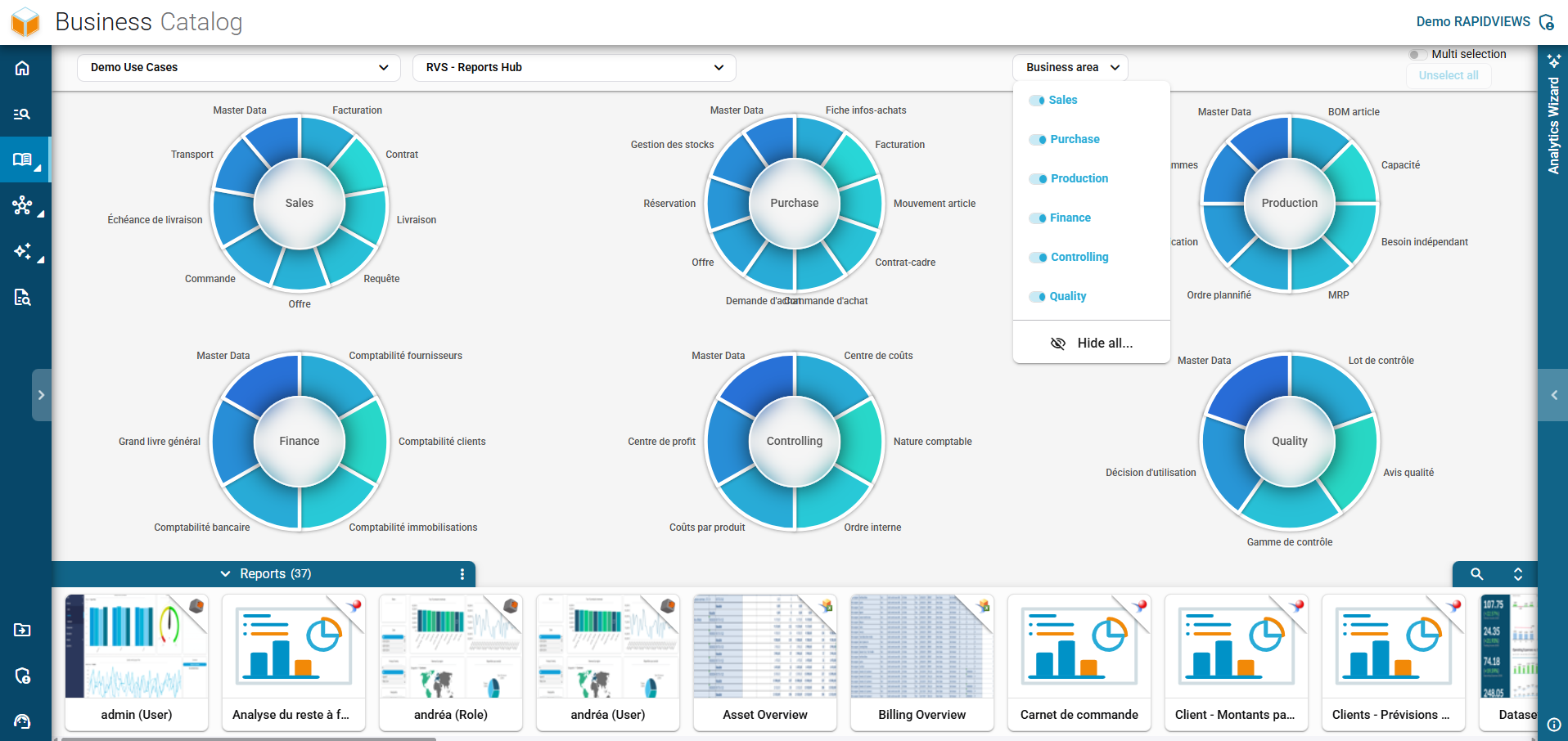
Drop-down menu for isolating and filtering specific business areas displayed in the Business Catalog.

Filter by business domain

Once your Business Catalog is initialized, you will have the ability to filter all your Analytics elements by functional domain.
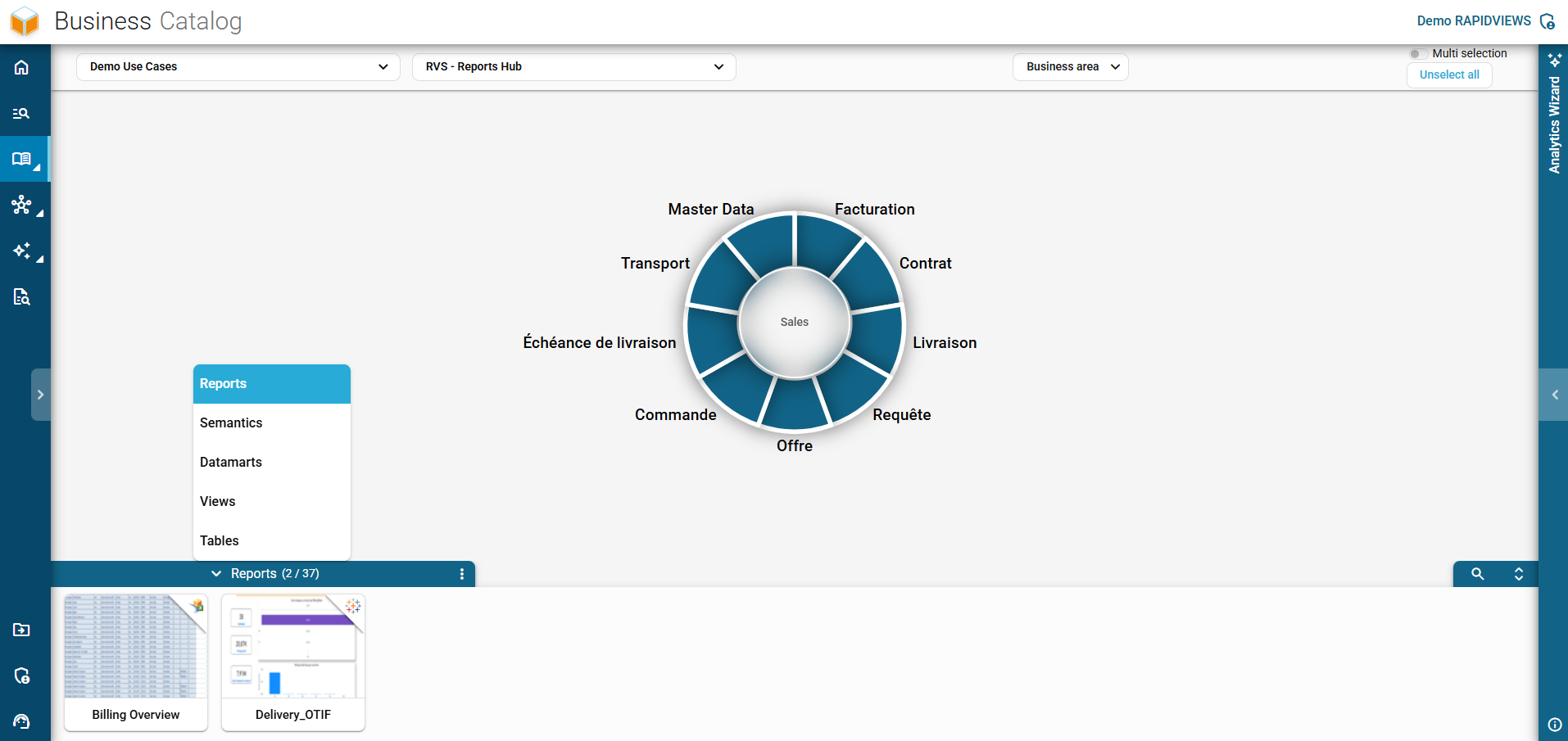
Isolated and detailed view of the Sales business area in the interactive interface of the Business Catalog.

Well-organized Analytics assets

Following the focus on a business domain, navigate through the reports, semantics, datamarts, views, and tables linked to this business context.
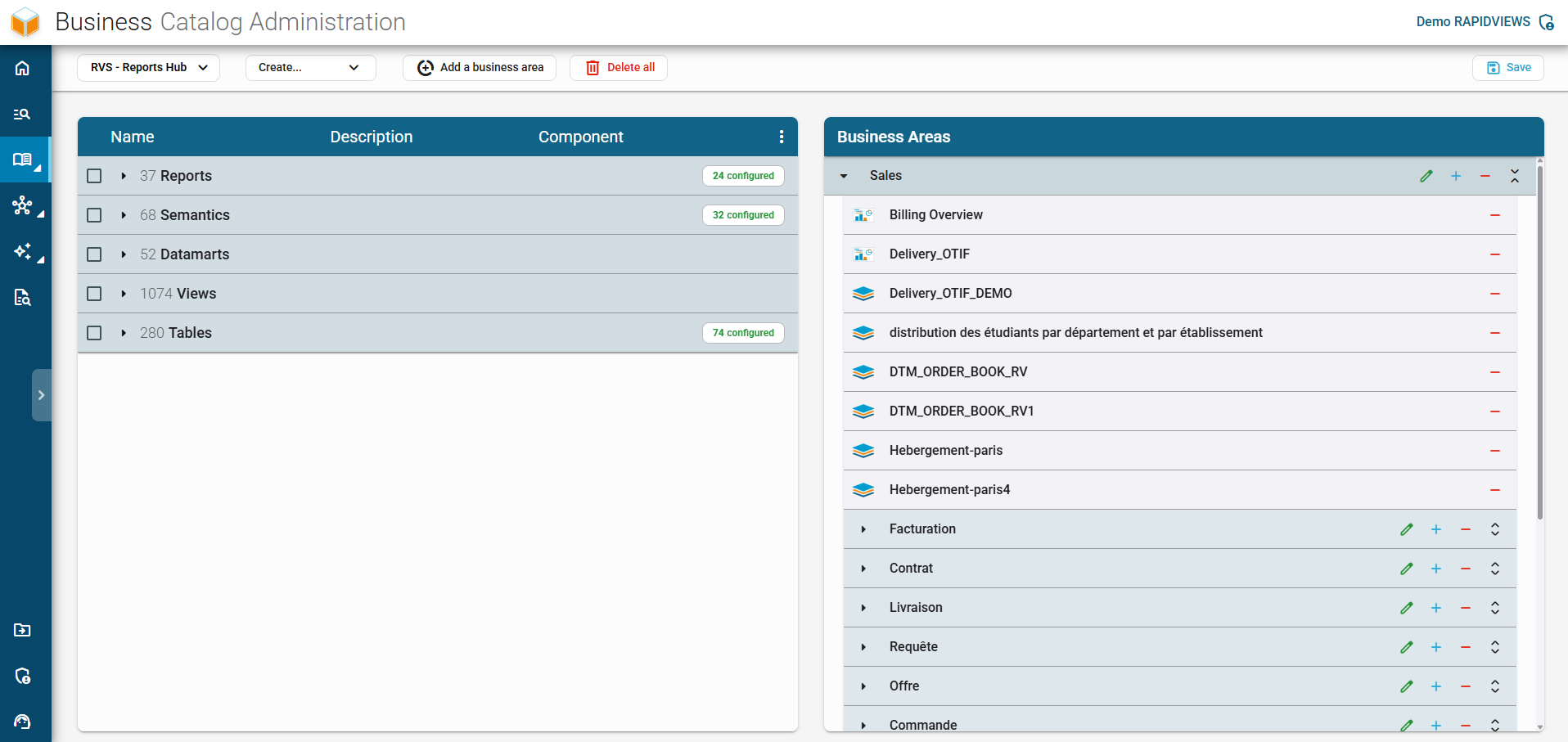
RapidViews Business Catalog administration screen for the technical configuration and management of business areas.

Easily administer your Business Catalog

Once your elements are integrated into the platform, easily drag and drop the desired Analytics assets into the functional domain of your choice.

Structure your Analytics content

Visualize your Analytics content by business process to more easily find the information you need.

Unite your employees

Engage your teams in the decision-making process by facilitating collaboration around Analytics content.

Find new ideas

Find ideas for new reports or new indicators to improve the performance of your business.

Improve onboarding

By intelligently structuring your Analytics content, this makes it easier to integrate your new employees by quickly providing them with relevant content.

This site is registered on wpml.org as a development site. Switch to a production site key to remove this banner.